Showing posts with label Automation. Show all posts

Thursday, June 18, 2015

Hot Dog!

As mentioned a while ago, I've been awarded a slot on the 757/767, but training isn't until late October and that means I get another four months on the Mad Dog. I just had lunch with a couple of guys down in Atlanta yesterday, and though they now all fly the 757/767 one noted that he had spent "five summers on the Mad Dog...because you always measure time on that airplane in summers!" I suggested that if he's ever really bored in cruise, he should attempt to calculate how many gallons of sweat he shed over those five summers. Or not - I guess that's kinda gross.

The basic problem is that as the Mad Dog was stretched from earlier airplanes, the Auxiliary Power Unit and Air Cycle Machines ("packs") were not also upgraded to accommodate the increased cabin volume. In moderate temperatures or with both engines running at high power to put out a lot of bleed air, it's not really a problem. On the ground with a high OAT, though, both the amount of airflow and output temperature are wholly inadequate. The cockpit is a bit worse than the cabin, because you have a lot of windows, the old CRTs, electronics, and incandescent lighting put out a lot of heat, and you're sitting 120 feet forward of the packs with resulting efficiency losses through the ductwork. At times it can get miserably hot in the cockpit, especially when you're busy just before pushback. In the summer you just about have to pack a new uniform shirt & undershirt for every day of the trip.


Out of my duties as a Mad Dog FO is running the AC, largely because most of the controls are on the right side of the overhead panel. There are some tips and tricks to getting the most out of the system, and most FOs get pretty good at it. The primary controls are the packs supply switches with OFF, AUTO, and HP BLEED OFF positions, and two selector knobs, one for CKPT TEMP and one for CABIN TEMP. The indicators are L and R valve position gauges and flow gauges, as well as a larger temperature gauge that indicates either cabin temp or cabin supply duct temperature, depending on the position of a TEMP SEL knob. Most of the time this is left in the CABIN SPLY position, which along with the valve indicators is a good measure of what the system is doing at any given moment; every couple of minutes I'll flip the TEMP SEL knob over to Cabin to see how we're doing overall.

We nearly always leave the Supply switches in the AUTO position except when parked at the gate with APU off and the conditioned air hose attached to the aircraft, at which point we turn them OFF. The HP BLD OFF ("High Pressure Bleed Off") position is rarely used, though there are circumstances when it can slightly increase airflow. The temp selector switches can also usually be left in the AUTO range, which commands the system to try to attain and maintain a specific cockpit and cabin temperature. The problem is that the exact temperature you're commanding is not labeled, and every airplane is different! Most airplanes have little ink marks that previous FOs have added to show a position that works, and this makes a good starting point, but there are often multiple marks as the system changes over time with wear, maintenance and repairs. Sometimes it seems to change over the course of a single flight!

On the ground with OATs warmer than about 60º F, we leave both selector knobs pointing at about the 9 o'clock position, which commands both valves full cold and gives you about as cold of air as you can expect (sometimes adjusting them slightly higher can increase airflow, however). After takeoff, we turn the cockpit selector knob to around the 10:30 position and the cabin selector knob to slightly below whichever ink mark we've decided to use as a reference. The idea is to get the cockpit valve slightly above full cold, and the cabin valve right around the first index mark (as shown in the picture above). You want the cabin supply temperature to come off the bottom peg (lest you freeze the passengers out before decreasing the overall cabin temp to comfortable levels); I've found an initial supply temp of 50-60ºF works well. As the cabin temp comes down to the desired level (I shoot for 68° or so), I adjust the temp knob slightly higher into auto range - usually right around the reference mark - where ideally the system will modulate the supply valve to maintain a comfortable temp on its own (80-90° supply temp works well). Any further adjustments to the temperature knob are best made slowly and in small increments, lest you drive the valve full hot or cold. I've found that in about 75% of the fleet, you'll end up turning the cabin temp selector slightly lower over the course of the flight, and the cockpit temp selector slightly higher.

Sometimes AUTO mode just isn't working no matter what you do, and then we turn the affected temp selector knob to the six-o'clock position, which puts the respective pack in manual mode. At this point you are directly driving the supply valve with momentary selections hotter or colder; however, output temperature can still vary depending on engine power / bleed output, and more than one pilot has left a pack in MANUAL mode, didn't pay attention when the throttles came back on descent, and was surprised to find that the output temperature was driven so high that it tripped the pack offline altogether. The preferred technique if MANUAL mode is needed is to get the supply valve where you want it, let output temp stabilize for a minute or two, and then switch back to AUTO mode and see if it does a better job of maintaining supply valve position.

On descent, depending on destination OAT, you'll typically once again turn both knobs to the 9 o'clock position in an attempt to cold-soak the cabin before arrival - as temps are nearly guaranteed to rise on taxi-in. If it's very warm at all, I start the APU immediately after landing and open the crossbleed valves so it can assist with airflow. We normally shut down the #2 engine three minutes after landing for fuel savings, but with OAT over 85ºF we occasionally keep both engines running to the gate (especially in an airplane that has trouble keeping up on a single idling engine + APU). Once both engines are shut down at the gate, the cabin temperature is almost guaranteed to climb on APU alone; it's basically a question of how quickly you can get the warm bodies to exit the airplane! Nearly all of our gates have large and capable air conditioning machines with supply hoses, and the better rampers get these hooked up and running very quickly. In warm weather they almost always do. The problem is that in 60º-70º weather they often don't realize that this conditioned air is still very necessary on the Mad Dog. The proactive pilot will go outside and make sure they still hook up the air. Once this is complete, you can save fuel by shutting down the APU in all but the hottest temperatures.

This all applies to the normal Mad Dog. On the Big Dog, which makes up about 30% of our fleet, the controls are the same but the actual system components are different and require a different technique. The good news is that the APU is bigger and has more bleed output, and is often able to maintain a comfortable cabin temperature on the ground all on its own or with a single engine running. The bad news is that the system is far more aggressive and volatile in AUTO mode. It will run the supply valves from full cold to full hot with a tiny movement of the temperature selector knob, or sometimes all on its own. The initial after takoff setting of the knobs requires particularly close attention for the first several minutes, meaning that at a fairly busy time I'm looking up at the overhead panel every 30 seconds or so. It's far more common to have to run for a while in manual mode on the Big Dog.

This all sounds fairly labor intensive, and it is when you're new to the system, but once you're acquainted with its quirks it becomes second nature, much like the rest of the Mad Dog. I have a feeling that once I go to the 757/767 I'm going to initially be a little restless, feeling like I ought to be doing far more than I am. I'm sure I'll get used to the reduced workload, though - not to mention skating through summer as cool as a cucumber!

Friday, March 13, 2015

Greater Leap Forward

After my last post about the Surface 2 EFB I use for work, I intended to write soon after about the iPad-based system I'm using in the Pacer, using a real-life cross-country flight as an example. However, the weather has been so crummy that what little Pacer flying I've been able to do on my days off has been entirely local - until this week, when I went cross country in a big way. On Sunday and Monday I flew from Flying Cloud to Peachtree City, GA, and then on to Sebastian, FL - a trip of 1230nm, 12 flying hours, and 7 landings. I'll write about that in the next post. It was an eventful trip weather-wise, and did a good job of showcasing where the modern GA EFB systems really shine, but the photos turned out useless due to glare off of the iPad's screen (I'm new to the iPad and didn't know how to take screenshots at the time). So, the below screenshots are from the last leg of the trip running in simulation mode, with weather from several days after I actually flew it.

There are a number of excellent EFB platforms available for the iPad, and a lesser number available for Android systems. The Surface 2's orphaned operating system, Windows RT, predictably has absolutely zero aviation apps available (indeed, few apps of any sort), other than the ported version of Jeppesen Flight Deck Pro that my company uses. Because GPS synchronicity, VFR charts, and weather overlays are all disabled on my airline's installation, it makes it fairly useless for general aviation purposes. I have Avare, a freeware charting and GPS program with limited flight planning capabilities, on my Android-based phone, and it's fine as a backup but I wanted more capability, so I bought a used iPad 2 off of eBay. Though a few years old, a fairly basic 16GB iPad 2 makes a fine EFB platform so long as you have the 3G model for internal GPS, or an external GPS receiver. The addition of a rugged Otterbox case and/or a RAM mount, space permitting, completes the hardware package.

The most popular EFB applications for the iPad are (in rough order of popularity among GA pilots): Foreflight, WingX Pro7, Garmin Pilot, and Jeppesen FlightDeck. I have experience with the first two, and use a version of FlightDeck for work, but am most familiar with and comfortable with WingX. It helps that they're giving away free subscriptions to CFIs (normally a subscription is $75/yr for VFR and $150/yr for full capability). A good friend and former student of mine whose Warrior I fly occasionally has been using WingX for years, and has always been very impressed with Hilton Software's frequent improvements and responsiveness to customer suggestions. I will say that I do think Foreflight seems a little more intuitive and better integrated, but WingX has a few neat features that Foreflight does not, and supports a greater range of external hardware options.


Here's what WingX, and all the other EFB programs, are at their very basic core: a way to display VFR sectional charts while superimposing your flight planned route and current position. For this, they're honestly not really any better than paper charts. I love paper charts, I still use them for local flights and Cub flying. They're easier to read than electronic charts, which need to be zoomed up to be readable, at which point it's easy to miss important information downrange. It's much easier to rotate a paper chart so that it is aligned with your course, while still being able to read labels upside down or sideways; with electronic charts you pretty much always have to switch back to "North Up" mode to read them (I just leave it there, myself). That said, sectionals are a pain to fold in a manner that's usable in the confines of a small cockpit, and planning a flight that goes between panels or between sectionals is a pain in the ass. Most of all, long flights end up requiring a lot of charts, which are expensive and take up space, and then they expire within six months (or if you're IFR, every 28 days). If you're going to do much cross country flying, a program like WingX will save you money over old-school charts.


Modern EFBs are, of course, much more than simple chart readers. They're fairly sophisticated flight planners and GPS navigators. On the above screenshot, notice that the top of the moving map prominently displays groundspeed, track, and GPS altitude (generally accurate within 100 feet, even using the iPad's internal GPS). Below that is cross-track error, next waypoint, distance, bearing, ETA, and ETE. In the map you can see several gray dots that show where I'll be in 5 and 15 minutes if I maintain my present track. Several overlays are available; I currently have 100LL prices displayed (you can see where my cheapskate priorities lie!) but at various points in the trip I chose to display flight rules (as in the last screenshot), ceilings, vis, or wind speed. More about weather overlays in a second. On the left-hand side I have both route and the Airport/Facility Directory (A/FD) displayed, but I usually only toggle that on when I need it.


You can plan flights from WingX's moving map route editor, or go over to the dedicated route planner. Here's one of the things I found really useful during my trip: if you've updated the weather database recently, you can use the altitude optimizer to find the best altitude considering winds aloft. It's still a little primitive (you can't store aircraft performance profiles, and it assumes a constant entered true airspeed regardless of pressure altitude and temperature) but it's a heck of a lot simpler than eyeballing winds aloft forecasts and interpolating between altitudes and forecast stations. I saved a significant amount of time and money on this trip by frequently going higher or lower than normal due to winds aloft, a major consideration in a 105-knot airplane.


Here's another great feature that is worth its weight in gold. As long as you've downloaded the NOTAMs recently, WingX displays temporary flight restrictions (TFRs) for the next few days and makes them painfully obvious by outlining them in red. Simply tapping on the TFR brings up all the pertinent info. Instead of UTC dates and times, it simply tells you whether the TFR is currently active, and if not, how long from now it will go active. In this case, there's a rocket launch from Cape Canaveral in 8 hours, 27 minutes. Incidentally, there's also a lot of restricted airspace around that area. WingX makes it super easy to look up special use airspace (just tap it!) but unfortunately doesn't tell you whether it is currently active. I was on VFR flight following and just asked ATC; otherwise I could have called a FSS (I assume I could have found it somewhere on my DUATS briefing but didn't look hard enough, I guess).


WingX's best feature, in my opinion, is how easy it makes it for the pilot to obtain weather information. Tap on any airport, tap display wx, and this panel pops up, showing the METARs, TAFs, etc for the airport and surrounding area. Here's the fairly obvious problem: you need a way to update the weather for it to be useful on a longer flight. ADS-B is fantastic for this and is free once you buy the receiver, but reception is spotty below 3000 feet. On the ground and at low altitudes, a 3G-enabled iPad will often have connectivity, allowing you to regularly download weather. I don't yet have an ADS-B box and 3G isn't enabled on my iPad, so I was reduced to running into the FBO at each fuel stop and trying to download updated weather; they didn't always have WiFi. The weather was significantly worse than forecast for a portion of my trip, and better than forecast for another portion, and I ended up getting updates the good old fashion way: listening to AWOSes and ATISes downrange and calling Flight Watch.


If you do have an ADS-B-In source, WingX does a really nice job of integrating datalink weather with the moving map display. Here's a NEXRAD radar overlay. Pilots have gotten themselves into trouble trying to use datalink radar in a tactical fashion, but it's great for making long-range strategic decisions as long as you recognize that you're looking at what the weather was doing somewhere between 5 and 30 minutes ago.

I haven't really even begun to scratch the surface of WingX's features, like the GPWS display (top left), or how it displays which runway you're taking off on and counts down feet remaining, or the terrain profile view (bottom center button), or ability to split screens with multiple displays, or how it automatically brings up the airport diagram (and shows your position on it) when you're below 45 knots on landing. There's just a lot of really neat capability built into the program and I'm still constantly discovering new things. I've heard the same said of Foreflight and the other EFB programs. My point is, there's a heck of a lot of capability available to the VFR pilot for $75 a year - that's essentially all one need spend on flight information, once you have the hardware. It's a rare good deal in GA. Also worth mentioning is that, as usual, the general aviation community is enjoying the benefits of modern technology well, well before it trickles down to the airline guys. We're finally getting EFBs several years after they came into widespread usage within GA, and the capability in our expensive, custom, FAA blessed EFB software is a small portion of that contained in off-the-shelf consumer software one can download and be using in 5 minutes.

One final note...the iPad is a very reliable piece of hardware, but it's not infallible. You need to have a backup. For flights within 200 miles of my home base, I have paper charts available. I also, as mentioned, have the free Avare program on my Android phone. I'll be switching over to an iPhone 6 soon (I have a MacBook and iPad already, so why not complete the transition to total Apple fanboy!), and I'll be able to use my existing WingX subscription on that for no additional cost.

Tuesday, February 03, 2015

Great Leap Forward

My airline recently rolled out our Electronic Flight Bag (EFB), a Microsoft Surface 2 tablet, and I've been using it for about a month now. The idea of a paperless cockpit has been around for a long time, and we're a bit late to the party; EFBs have been de rigueur at most major airlines for a couple of years. The most common platform, by far, is Apple's iPad; it's used by Alaska, American, United, FedEx, and UPS, plus many regional airlines, corporate flight departments, and thousands of private pilots. There's a wide variety of well-proven off-the-shelf EFB software available for the iPad, and reams of data on the system's reliability. The FAA is getting very experienced at approving iPad-based EFB installations.

For a variety of reasons, my airline chose not to go that route. First, we are a very Windows-based company - we Mac users are barely tolerated and most training & crew applications are not supported on our machines. Secondly, Microsoft is one of our largest corporate customers, and we're currently expanding in the Pacific Northwest. Frankly, we're not a company that's entirely known for its tech savvy. It probably shouldn't come as a surprise that our choice of a fairly uncommon tablet paired with an orphaned standalone operating system (Windows RT), combined with Jeppesen having to do a custom port of their FlightDeck Pro software, resulted in rather lengthy delays. Even now, we're merely in the test phase; until the EFB is fully proven, we're still carrying around ship sets of Jepp charts and operational manuals (individual subscriptions are thankfully a thing of the past - updating Jepps was always among the most hated of pilot chores).

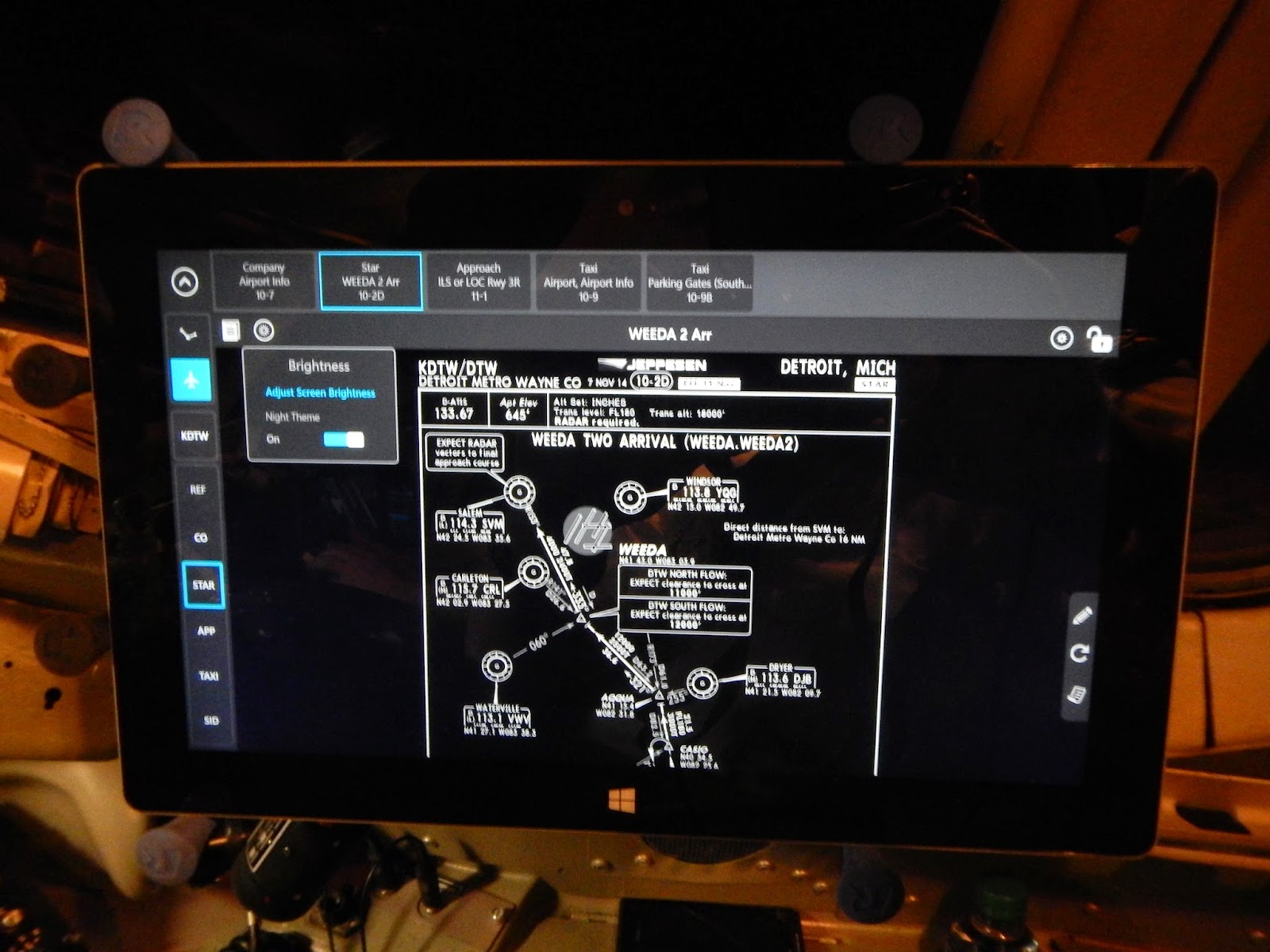
That said, now that the EFB is finally here, I think Microsoft, Jeppesen, and my company absolutely knocked it out of the park. For what it was designed to do, both the hardware and software are beautiful, functional, and intuitive. Here's a good measure of just how easy it is to use: I received my tablet a few days before recurrent simulator training, did the hour-long training DVD, and was able to effectively use it for the first time during two intense days in the sim (one of which, the maneuvers validation, is a graded checkride). All the present features are contained in two programs: Jeppesen FlightDeck Pro is used to view IFR enroute charts and terminal/approach/airport plates, and Secure Content Locker provides access to all company and aircraft manuals and bulletins. The operating system incorporates a number of intuitive touchscreen gestures to make it easy to smoothly switch between programs or even split the screen between them. For example, the other day my Captain and I briefed a Category III ILS approach with the approach plate on one half of the screen and the company Cat III briefing card on the other half.


My favorite feature of the Surface 2 EFB, versus equivalent iPad-based systems, is the inclusion of a very nifty hinged cover that incorporates a backup battery and keyboard. It attaches to the Surface with a magnetic hinge / power connector. While connected, the backup battery recharges the main battery. I typically carry the Surface between flights with the cover connected and closed, take it out during the preflight and input the flight plan and other information with the keyboard, and then disconnect the cover/keyboard and stow the Surface in its RAM mount (which is suction-cupped to the side window). You can leave the backup battery / keyboard attached if needed, but I've found that the mount holds the Surface alone much more securely.


Besides the company's stated reasons for going to an EFB system (to save fuel and waste by eliminating the paper charts, the weight of which is considerable), I believe its use also increases safety. There's a lot less heads-down time spent digging through Jepp binders for charts, especially in response to last-minute runway, procedure, and route changes. Finding and highlighting critical information is far easier than with paper charts & manuals, particularly in low-light conditions. The mounts allow for easy EFB removal for briefings; I've found that physically taking the EFB in my hands and turning towards the other pilot is far better for facilitating crew communication than facing the window as we talk. I'm also finding that having the EFB makes me far readier to dig into the manuals when I'm not quite sure about something or haven't done a particular procedure in a while; it's a lot more tempting to wing it when the definitive answers are hidden deep within one of about seven heavy paper manuals (good luck guessing which one!). Finally, casual studying for upcoming training is a lot more palatable on the Surface; I made heavy use of it for this purpose in the days before my recurrent events.


That said, there are some improvements I hope to see over time. Even though all the manuals are searchable, you still have to know which manual to search. The content locker includes a master index that tells you where various references are located but it's not clickable; it would be nice if each subject included hyperlinks to the relevant sections of each manual. We also have a paper "Fast Access Tab" that contains selections of most commonly-used reference pages from various manuals, but it's not on the EFB yet. The internal GPS is not enabled, so some nice Flight Deck Pro capabilities like geosynchronous charts & airport diagrams are not available. We are also prohibited from connecting to airborne WiFi, though it could provide invaluable updated weather, radar overlays, and turbulence plots. Both of these issues are primarily due to FAA restrictions. Hopefully once we have full approval for the EFB, we'll be able to make some headway in getting the feds to let us use its full potential.


Really, my only serious complaint is the Windows RT operating system. It's not really a bad OS, it's just completely orphaned. There are hardly any third-party apps available, and no aviation apps at all other than our custom, IFR-only copy of Flight Deck Pro. I had been hoping to use the Surface in the Pacer, but it turned out to be useless for VFR flight. I ended up buying an iPad 2 off of eBay and running WingX Pro7, which I'll write about in another post soon. Thus, we tripled the number of tablet computers in our household nearly overnight. That said, while my airline allows us to use our Surfaces for personal use (on the ground only), it was never a focus of the program. For strictly company use in the flight deck, I have very few complaints, and became an EFB addict within days of its introduction.

Saturday, September 06, 2014

The Hazards of Going On Autopilot

An interesting New Yorker article that mirrors a lot of what I've found to be true of cockpit automation over the years:


The Hazards Of Going On Autopilot - Maria Konnikova

Tuesday, July 08, 2014

Old School / New School

I’ve been flying the Mad Dog on the line for about five weeks now, have finished IOE, am on my third week of reserve, and have about 90 hours in the airplane. I wouldn’t say I’m comfortable yet – that’s going to take some time – but it’s getting more natural, I’m not having to make such a conscious effort to think ahead, I’m making fewer mistakes, and I’m up to about 90% of the speed of an experienced FO. It takes time to get used to any new airliner, but probably more than most in the Mad Dog, simply because it’s such a quirky, busy airplane. The good news is that the quickest way to get used to any airplane is to fly a lot of cycles in a short amount of time, and I’m certainly doing that.

The Mad Dog is basically a late 1980s stretch and update to a 1960s design. It is a contemporary of both the Boeing 757 and the Airbus A320, two much better designs in many respects. Perhaps a better comparison is the B737, another continually stretched and updated 1960s airplane that is not as good as it should be because Boeing maintained commonality with the earlier design. The Mad Dog’s builder was notorious for their thriftiness, reuse of existing components, and leaving as much of their designs unchanged as possible. The Mad Dog actually uses the exact same knob for its cockpit window latches as was used on the DC-3 (and -4, -6, and -7) throttle levers! Less humorously, the largest Mad Dog variant weighs in at up to 168,000 lbs MGTOW and uses the same basic wing as much smaller predecessors.

This lack of wing is the airplane’s most notable shortcoming. Its clean stall speed is quite high, which combined with takeoff warning system malfunctions has resulted in several bad accidents when crews forgot to set flaps for takeoff. After takeoff, we are limited to 15 degrees of bank until reaching a clean maneuvering speed of 250 kts or more at high weights; if a tighter turn is called for, we have to leave the slats out until maneuvering is complete. At altitude, one has to pay very close attention to airspeed, as it’s easy to get behind the power curve and be forced to descend to avoid stalling. Consequently the airplane is quite altitude-limited; it’s common to have an initial cruise altitude of FL300 or lower, a real handicap in thunderstorm season. The B737 comparison holds up here, as the newest super-stretch versions of that design are similarly limited.

In the cockpit, the Mad Dog kept many of the quirks of the original. Several systems retain manual controls and switches where competitors automated them – the pneumatic crossfeed valves, for example, or the fuel system, or engine ignition. The engine start valves are manual and must be continuously held throughout the start, making that a three-limb exercise in which the poor FO begs the Captain to taxi slower lest a pothole dislodge his finger and prompt an aborted start. The engines have no FADEC and care must be taken to avoid an overtemp or overspeed. The spoiler and flap handles are Rube Goldberg devices (held over from the original) that take practice to activate without a struggle. The whiskey compass is famously (and hilariously) mounted on the aft cockpit bulkhead, requiring a light switch and a glareshield mirror adjusted to look through another mirror in order to read it! There’s no way the FAA would certify such an arrangement on a new design, but because somebody gave the OK in 1965, the cockamamie arrangement lives on even in the Mad Dog’s younger cousin, the Angry Pup.

For all that, this is an airplane that has glass, dual FMS, autothrottles, autoland, and even VNAV. It’s all these new-school gizmos, combined with the retention of old-school systems, that make the Mad Dog so much busier than its simpler predecessors.  There's also the fact that these features represented early efforts in automation, as conceived by Long Beach - consider them an alternative vision of a future that never was. So we have glass, but the engine display shows the exact same round engine dials as the non-glass airplane, and the PFD just displays an attitude indicator; airspeed and altitude still have their own round-dial analog gauges. There’s a Flight Mode Annunciator, but it’s mounted inboard of the flight instruments, out of the pilot’s direct view despite being absolutely critical to keep in one’s scan. The autothrottles are laggy and flaky and occasionally command huge splits. The autopilot has two speed windows depending on which pitch mode you’re in, and reversion to another mode will also cause reversion to another speed if you’ve failed to keep the inactive window updated. The dual Honeywell FMS is surprisingly modern and capable (it's actually fairly similar to the JungleBus’ FMS) but since the airplane doesn’t have GPS, we can’t do RNAV approaches and frequently monitor raw data (the box determines its position through IRS/DME/DME inputs). The VNAV is unnecessarily complicated while being rather opaque and often unreliable, requiring very close attention to make sure it’s doing what you think it should be doing. That’s a pretty good description of the whole plane, really. It demands a lot of attention.

From this description you might think I dislike the Mad Dog, and nothing could be further from the truth. I’m having a blast! It’s so utterly unlike the JungleBus, and that’s 90% of the fun. The JungleBus would lull you to sleep if you let it; that’s never a threat in the Mad Dog. The plane is built like the proverbial brick shithouse. Flap and gear speeds are ludicrously high (Flaps 11 at 280 kts, Flaps 40 at 200) so there’s seldom any danger of being caught high. The engines are the penultimate -219 variant of the venerable JT8D, and are pretty reliable for an old design. Systems, though they lack automation, are extremely simple and robust. The controls are virtually foolproof (with proper maintenance; see Alaska 261); fly-by-wire in this plane means 3/8” stainless steel cables connecting the control columns to control tabs on each flying surface. The controls aren’t sporty by any means (those are pretty small tabs that you’re moving!), but the plane flies so solidly that it doesn’t really matter. It just sorta stays where you put it – kinda like the Piper Lance of my freight-dogging days, now that I think about it. The cockpit is extremely quiet, thanks to the rear-mounted engines. The seats are pretty comfortable. There are some neat unique features, like the takeoff condition computer to verify your takeoff trim setting and the dial-a-flap detent for optimized-performance takeoff configurations and get-down-quick descent settings. There are something like 30 different rheostats for ultimate night cockpit customization; I’m still figuring out which does what. Yeah, so cockpit trim pieces are always falling in my lap and the windows leaks on me every time it rains. It builds character! My airline is 100% sold on the Mad Dog’s financial performance and it seems they’ll be in the fleet for a long time to come. If the Mad Dog is going to be my upgrade airplane, I’m glad to be getting experience in it as an FO.

It’s worth noting that my airline actually has two Mad Dog variants. I'll call the newer one the Big Dog, as it seats 11 more passengers. It also has high-bypass turbofans with electronic engine control, more automated systems, and a hydraulic elevator that improves control responsiveness. Over the last couple years my airline has greatly expanded the Big Dog fleet, buying every used copy they could get their hands on; there are now roughly half as many Big Dogs as Mad Dogs. One of our largest competitors was until recently the world’s largest operator of Mad Dogs, though they call them by another name. Their variant is the exact same as ours, except they lack our quasi-glass cockpit. Our version has a different designator only because my airline insisted on it when they ordered them. Alas, the competition is rapidly forsaking their Mad Dog roots for the electric charms of the A320, making my airline the world's new Mad Dog king (especially if you count the Angry Pup, of which we're getting 88). Lots of Mad Dog FOs are moving to other airframes or to the left seat, making the Mad Dog a very common first airplane for new hires, and affording me nearly instant seniority in our junior New York base. I'll write about commuting to work there in my next post.

Sunday, April 20, 2014

Ode to JungleBus

Well, Basic Indoc class is over, and I'm officially a [nameless major airline] pilot, wings and all. It was a really good experience, extremely welcoming regardless of flow status and quite a bit more chilled out than previous indocs. But I still have to get through Mad Dog school, which starts in a week, with computerized home study until then. It will not be chilled out, it's notoriously fast and furious, so I'll be hitting the books hard this week. My life at NewCo already seems impossibly long ago, and the "brain dump" on JungleBus systems and procedures is already well underway. You have to forget your previous airplanes as an airline pilot, or that knowledge will interfere with the one you're flying now. But I can't let all things JungleBus slip from my brain without some acknowledgement. This is the airplane I've flown far more than any others in my career, a plane I came to know rather well. I left NewCo with 4801.6 hours in the JungleBus, which is slightly over half of my total time. In all that time I never had a serious systems-related emergency. I had perhaps a dozen maintenance cancellations in over six years. JB seldom let me down; she deserves a tribute before I become intimate with another mistress.

The first time I saw JungleBus, I was a Q400 FO at Horizon, who had recently lost their Frontier JetExpress flying only three years into a supposed 12-year contract. As our CRJ-700s came back from Frontier they were being put on inefficient routes like Portland-Seattle, and so the factors that would eventually lead me to leave Horizon were already evident. In Spokane, I saw a Republic JB in Frontier colors taxiing into the gate, and my initial reaction was profound dislike. It looked like a child's pudgy plastic toy airplane to me, and the fuzzy baby animal on the tail added to the impression. My critique of the airplane's aesthetics never entirely changed even after I was flying it. But that first impression was likely tinged by jealousy and frustration over my stalled career at Horizon. Six months later I was in class at NewCo, learning to fly that pudgy toy plane.

The training began with a home self-study CD-ROM, which seemed awfully slim on in-depth systems knowledge. I figured the classroom systems lectures would go into greater detail, but when I got to Montreal the ground instructors seemed to know even less about the plane than we did. Alarmingly, the same was true of our simulator instructors. The checkride examiners asked plenty about each control and button's function and system logic, but very little about the underlying systems themselves. I entered OE feeling like I knew less about this airplane than any I'd ever flown before - and despite that, got through in only 25 hours feeling pretty comfortable with line operations. And that wasn't me being superpilot; everyone was getting through with 25 hours of OE. I realized then that the lack of systems instruction wasn't a byproduct of a new airline or a relatively new type, it was an integral feature of a design meant to remove pilots and their pesky human failings from its operation to the greatest degree possible.

The JungleBus is in fact a fairly complex airplane, but from the flight deck it is simplicity itself. The overhead panel features a few rows of large, rarely-touched "dusty buttons" which select the systems to "Auto" or "Off." When everything is selected to its normal (auto) position, the switchlights are dark. The ram's horn yokes are beautifully ergonomic and nicely balanced, which they well should be since they're not connected to much of anything - it's all computer-augmented fly by wire with the exception of the ailerons, which actually have control cables running to their hydraulic actuators. The FADEC-controlling thrust levers glide smoothly from idle to the rating detent, which you seldom feel since the autothrottles are generally engaged before you ever get close to it. The secondary controls - Flaps, Spoilers - are big and unmistakable, and protect themselves by refusing to deploy when they shouldn't. The real heart of the cockpit, the Flight Guidance Panel, has quite a few easy to understand and use modes for lateral and vertical guidance - the most commonly used of which are the FMS-derived LNAV and VNAV. When everything is working, it's a rather easy airplane to fly. 

But what about when things break, you ask - what then? Again, the airplane makes it as simple for the pilot as possible. Most major systems go through extensive self-tests, transparent to the pilot, on aircraft power-up. If they fail their self-test, they display an error message and you call maintenance. The only systems the pilot tests himself are the fire protection, annunciator lights, and trim switches. After startup and proceeding through the flight, the EICAS system inhibits many faults, discreetly sending minor ones directly to the airline and displaying others after landing or shutdown. Only outright failures are shown on the EICAS display in real-time or close to it (most are inhibited between 80 knots and V1), and then the system prioritizes the order of their display so that malfunctions most likely to be the root cause of secondary faults are addressed first. You just pick the highest priority message and run the associated QRH checklist. Nine times out of ten, the checklist tells you to select the system off, wait sixty seconds, and turn it back to auto, and nine times out of ten this resolves the fault – the aeronautical equivalent of Ctrl-Alt-Del. If the QRH leaves any room for confusion, you can bring up the appropriate system schematic on the Multi-Function Display (MFD), and the status and relationship of every component in the system is displayed. If our instructors never placed much emphasis on knowing exactly what is powered by each hydraulic system, for example, their laxity makes a little more sense when you realize that the hydraulic synoptic page shows exactly what is being powered at any given time, no rote memorization required. My colleagues and I have often theorized that this airplane was designed to be flown in challenging third-world conditions by inexperienced, occasionally fatigued crews, and most of the time it will keep even this “lowest common denominator” crew out of serious trouble.

Of course, JungleBus’ front-end simplicity is achieved through a great deal of back-end complexity of the electronic variety, and this means it is still prone to human error – but these errors can lay hidden within layers of code or imbedded on circuit boards for months or even years before surfacing in unexpected ways. In six years I’ve seen this airplane do some truly mind-boggling things, like spontaneously change a pilot-entered VNAV descent angle from a reasonable 3.5 degrees to an untenable 6 degrees, or abruptly turning 20 degrees off course upon crossing an intermediate fix where the airway didn’t bend. A good friend had a baffling situation where the pneumatic synoptic page showed that both pack valves had closed themselves and the cabin altitude was rapidly increasing. He quite reasonably made an emergency descent and subsequently diverted to our maintenance base in Louisville, where subsequent investigation showed that it was an indication error – both packs were working correctly and cabin altitude had actually remained steady at 8000 feet! I personally experienced a current surge event in one of the Secondary Power Distribution Assemblies (SPDA) that fried multiple circuit boards in one fell swoop, creating a puzzling array of seemingly unrelated faults; this fortunately happened on the ground, during the Power-On Self Test.

These type of events are not a slight against the JungleBus’ basic design; they happen in every modern airplane, and I dare say more often in many than in the JungleBus today (early on it had many more bugs to work through). I would say they are notable in the JungleBus primarily because most of the time the airplane does work so well that it lulls crew into less active monitoring than they might practice in a less reliable design. This complacency is the easiest way to get into trouble in a JungleBus, and usually not because of some insidious bug hidden deep in the software. Most of the time JungleBus crews screw up, they do it to themselves with bad input, and subsequently fail to catch the error through lax monitoring. Too often when the error is finally discovered, they attempt to fix the automation in a hurried, panicked manner rather than simply flying the airplane and having the other pilot fix the automation when time allows it to be done methodically. And this problem, I would argue, is a direct result of JungleBus’ design philosophy and the resulting way we have trained her crews. If you take so much of an aircraft’s operation out of a pilot’s hands, encourage him to continually use full automation, and keep him in the dark as to much of what his aircraft is doing, you cannot reasonably expect him to remain alert and engaged in the aircraft’s operation over countless uneventful hours, and you cannot expect him to become instantly attuned when something does go amiss. It goes against human nature. The FAA and the airlines have become quite aware of this and the pendulum is finally swinging the other way across the airlines and across fleets, toward a greater emphasis on manual flight skills and automation shedding when appropriate.

Fortunately, many of us who’ve been flying JungleBus for a while recognized her potential for creating automation dependency early on, and took our own steps to ward it off. We hand flew whenever appropriate, and occasionally turned off the autothrottles and flight director too. We backed up the VNAV with good old 3-to-1 ratio mental math (which saved my bacon on that spontaneous path angle change incident). We talked amongst ourselves and learned some of the more insidious “bad input, bad output” scenarios, like accidentally hitting PREV twice and setting ourselves up for an offside-localizer capture and subsequent reversion to ROLL HOLD mode. We talked to our mechanics and learned the nuts and bolts behind the Auto mode buttons. We opened the QRH in cruise with synoptic pages displayed on the MFD, unraveling the reasoning behind the procedures. We followed our progress across the country and played the “if everything goes blank now, where do I go?” game.

Fortunately, none of us ever had those “everything goes blank” scenarios actually happen. Everything generally worked very well. When JungleBus did throw us a curve, we usually caught it early on. When I made dumb inputs, my FOs almost always caught them before agreeing to “Activate.” Once in a while the autopilot and/or autothrottles would do something funky and I’d turn them off, and I’d appreciate all over what a wonderfully honest, smooth-flying airplane it is when you just fly the damn thing – a big Cherokee, really. JungleBus never did anything to put me or my ticket in danger, as long as I just paid attention. I finished my stint at the regionals with a clean record and about 7000 accident-free, violation-free, and mostly uneventful airline hours. I have useful training & prior experience, great coworkers, and two very different but ultimately very good airplanes to thank for that. Goodbye, JungleBus. I’ll miss you. 

Saturday, December 14, 2013

While I Was Out....

Anybody looking at this year’s blogging content could be excused for assuming I had retired from aviation blogging. I haven’t – it’s just been a jam-packed year, one of my busiest ever, with lots of travel and adventure and new writing opportunities. My year in review:
  • In January Dawn and I spent a long weekend in Homer, Alaska. 
  • In February my friend Brad and I spent two weeks dirt-biking down Baja California. 
  • In March I spent an additional week dirt-biking from Loreto to Cabo San Lucas. 
  • In April I returned to the line after 3 months of medical leave and flew back to Cabo to prep and sell my DRZ-400 motorbike.
  • In May I purchased two motorcycles on the east coast and Dawn and I spent 4 days riding the mountains of NC & TN; a few weekends later, my dad and I went back out for more riding. 
  • In June my first article in Flying came out, Dawn and I rode the length of the Blue Ridge Parkway with friends Brad & Amber, and we spent 10 days in Ireland with Dawn’s extended family. 
  • In July and August we spent a month traveling through South Africa, Botswana, and Zimbabwe. 
  • In September my second article in Flying came out, and I spent 8 days in Southern California taking advanced sailing courses. 
  • In October we spent 9 days sailing in the British Virgin Islands at the Interline Regatta with a team composed of crewmembers from Horizon, NewCo, and several other airlines. 
  • In November, Flying began running my new monthly column, “Taking Wing.” 
Whew! Maybe I should have stayed home more often to do more blogging, because it has certainly been an eventful year in the airline business. Many of these stories are ongoing and I’ll certainly return to them both here and in the pages of Flying, but they’re worth summarizing for the time being:

Merger Mania Continues Apace 

United & Continental and Southwest & AirTran are putting the final touches on their respective tie-ups. American & USAirways have made significant progress, especially in reaching a fairly favorable settlement with the DOJ and states’ attorneys general who had sued to stop the merger, and in getting the various unions on board with agreements that will significantly improve their current bankruptcy contracts. There is now widespread speculation as to the future of current niche carriers like jetBlue, Hawaiian, and Alaska, with many believing they will be gobbled up by one of the four remaining megacarriers. I suspect the DOJ’s lawsuit against American & USAirways was mostly intended to signal that the current administration thinks merger mania has gone quite far enough.

The Major Airlines are Making Money! 

The global economy continues to teeter along, but don’t tell it to the likes of Delta and United – they’re making money hand over fist, especially Delta, who recently notched up a $1.37 Billion-with-a-B quarterly profit (they're expecting $2.6B for the year). All of the U.S. airlines have done an admirable job of capacity control, which was the whole point of the mergers to begin with, and so airfares have remained at sustainable levels with few fare-wars-for-market-share breaking out. Meanwhile extra baggage and service fees are sticking and are contributing handsomely to the airlines’ bottom line, and the new megacarriers are increasingly comfortable throwing their weight around, Walmart-style, in squeezing their vendors for additional savings.

The Legacy Airines are Hiring!

Mandatory retirements have resumed after the five year hiatus brought about by raising the retirement age from 60 to 65, new rest rules will require slightly increased staffing at most carriers, and the major airlines are very cautiously adding capacity and shifting existing capacity from regional carriers to mainline. As a result, all the legacy airlines have begun hiring in significant numbers for the first time since 2001 (a few of them did a little hiring in 2007 and 2010). Short of economic meltdown or another 9/11-type event, heavy hiring is expected to continue for the next decade. Of course, in this industry nothing ever goes as expected, but for now the outlook looks quite good. On a related note, in October I got a letter from WidgetCo informing me that I can expect to flow up as early as January. I’ve been running the numbers and it looks like I will probably end up with a hire date of February, and a class date in March or April once NewCo exercises their holdback rights. This is obviously hugely exciting news: getting hired by one of the largest, most stable, most successful legacy carriers, and one that has a significant presence in my hometown, is a dream come true. But I’m trying hard not to count any pre-hatched chickens until my butt is actually sitting in class…and then I have to pass training! Possible aircraft include the B717 and MD88; if it’s the latter, I’m going to have to revert to my freight-dogging steam gauge skills after 10 years of getting spoiled by glass cockpit airliners.

Regional Airlines Continue to Struggle 

Thank God that major airline hiring is providing some light at the end of the tunnel, because the regionals are not a good place to be these days. Most of the trends that I’ve written about in the past few years have continued to play out. The consolidation of legacy airlines, permanently elevated fuel prices, maturing regional labor costs, and aging aircraft with high CASM have all made the regional airline model increasingly obsolete, particularly in the 50-seat segment. The major airlines have been aggressively retiring their 50-seat feed earlier than planned, replacing it with a smaller number of 70-76 seaters. Meanwhile, the majors have been increasingly ruthless with their erstwhile partners, forcing lower profit margins and increased risk-sharing on them if they are to get any new flying to replace their dying CRJ-200s and EMB-145s.

The case of Pinnacle is instructive. In an effort to hedge against their high exposure to the 50 seat market, Pinnacle purchased Mesaba and Colgan in 2010 to gain more access to the 76-seat jet and 70-seat turboprop markets, respectively. When they bought Mesaba from Delta, Pinnacle renegotiated their air service agreement with Delta on terms that were reportedly less favorable than their previous contract. Pinnacle bungled the merger, which came as no great surprise to anybody familiar with Pinnacle management, and began hemorrhaging money. When Pinnacle filed for bankruptcy, Delta swooped in and bought them on the cheap, which must have been horribly familiar to their ex-Mesaba employees; NWA did the exact same thing in 2007. Delta then forced already low-paid Pinnacle employees to take huge concessions (this while they made billions and paid their own employees handsome profit-sharing checks) and changed their name to Endeavor.

This, frankly, is about the best outcome that many regional airlines can hope for. Having been built up so quickly by their mainline partners in the late 1990s-2000s, having been awarded flying on the basis of low costs that could only be sustained through continued growth, the regionals have nowhere left to grow and can only get smaller, further raising their costs, making them even less attractive to the majors. It’s a vicious cycle and the case of Pinnacle shows that the ongoing regional consolidation is not really a viable solution.

Big Regulatory Changes are Ongoing

2013 was a year of sea change in the airlines’ regulatory environment. In August, the ATP rule took effect. It requires all pilots – both Captains and First Officers – at Part 121 carriers to have an ATP, while at the same creating a reduced-minimums “restricted ATP” for military- and college-trained first officers. The change was mandated by Congress, largely prompted by the Colgan crash and by many regionals hiring pilots with the bare legal minimums in 2006-08. I think 1500 hours is probably slight overkill and I would have preferred more rigorous testing rather than creating cutouts for the Riddle and UND kiddies, but the law is preferable to the ridiculous hiring practices of the last shortage. The airlines really brought this one on themselves.

Likewise the new Part 117 flight time / duty time regulations revealed this year and set to take effect on January 4. New rest regulations to combat pilot fatigue have been among the NTSB’s “most wanted” items for over 20 years; until now the industry has successfully defeated efforts to update the current outdated rules. Had the industry willingly refrained from scheduling its pilots to FAR minimums, they likely could have continued to escape the hassle and expense of completely new regulations. With freshly gutted bankruptcy contracts at the majors and increasingly desperate economic circumstances at the regionals, too many players in the industry adopted the idiotic notion that “if it’s legal, it’s safe,” and Congress called them on it. Unfortunately I think the new regs are going to cut down on pilot productivity and therefore quality of life, but at least the usual suspects will not be able to fall back on flying their pilots ragged to cut costs.

The Pilot Shortage is Nigh! Sort of…. 

There’s been a huge rash of articles on the impending pilot shortage this year, and I can’t help but speculate on the extent to which the A4A & RAA lobbies are behind them as they push back against the ATP and rest rules. Of course, it is absolutely true that there is a big increase in retirements coming in the latter part of this decade, and that historically low numbers of new commercial pilots are entering the US job market. That said, the shortage will be confined to rather predictable segments of the industry. The major airlines will never have a shortage of qualified applicants; the fact that the regional airlines account for about 30% of all airline pilots makes sure of that. The regional airlines, however, will have trouble replacing all the pilots that move onto the majors (or better-paid regionals), with a few carriers already feeling the effects.

Great Lakes Airlines, in particular, is cancelling a huge portions of their flights due not being able to hire enough pilots, has lost several EAS routes for the same reason, and looks increasingly likely to go out of business. Great Lakes, however, is in that position because it has refused to consider raising starting pay from its current $15,000/year. Over time, the shortage will likely creep up the food chain until it eventually impacts most regionals. I think starting pay will come up a bit at the regionals, but the long term solution will likely involve major airlines working with their regional partners to create more defined career progression. Eventually, I could see major airlines screening and hiring new commercial pilots contingent on them flying for a regional partner for a defined period. Pilots would be much more willing to sink money into training and put up with regional pay if there is a guaranteed light at the end of the tunnel. I'd personally prefer to see the regionals disappear altogether with the major airlines recapturing that flying, but there's too much money at stake for too many players for that to happen; I rather expect them to head off the shortage with solutions similar to the one I outlined above.

Another Year, another Automation Crash

The NTSB just held a public hearing on the Asiana 214 crash, but nothing groundshaking was revealed outside of the Captain’s own doubts about his ability to fly a visual approach on a clear and calm day. The meat of the case is already well known, and quite in line with the string of automation accidents in the last five years: crew finds themselves in a situation that precludes full use of automation, crew gets confused as they’re more used to flying with everything on, flying pilot bungles the transition to manual flight, gets distracted from basic stick-and-rudder skills until it’s too late, and crashes. That’s been the basic narrative for Colgan 3407, Air France 447, Turkish 1951, and now Asiana 214. The only really notable thing about this crash is just how little it took to throw this crew off their game: a glideslope being out of service on an otherwise perfect day. Increasingly, crews around the world are getting used to flying nothing but straight-in ILSes with autopilot & autothrottles coupled. Many airlines are making things worse by prohibiting manual flying under normal conditions. It makes flying easier for the 250-hour wonders, but does crews a terrible disservice when the automation fails or does things they’re not expecting. The FAA has woken up to this problem and is increasingly encourage US airlines to train and test manual flying skills in their pilots. Perhaps with this crash, the rest of the world will start to rediscover the need for stick-and-rudder skills and practice to ward off automation dependency.

The Gulf Carriers Keep on Growing 

Emirates, Ethiad, Qatar, and flydubai made headlines at the recent Dubai Airshow with their blockbuster $192B, 393 airframe order of Airbus and Boeing products. If all these orders hold firm – and that’s usually a fairly big if – it will roughly double the Persian Gulf carriers’ already-large capacity, and they’ll be looking for a lot of new markets to put it in. There’s widespread speculation, verging on barely-restrained panic, that they’ll be invading US airspace in a big way, destroying all the yields of the US carriers’ oh-so-carefully-managed capacity restraint. The rhetoric has become increasingly sharp including charges and counter-charges of unfair government subsidies, and has pitting Boeing against US airlines and their labor groups.

A few points are in order. First, these carriers are doubling their capacity in the length of a few short years, at great expense, without any apparently concrete plans for where they will fly these planes other than vague noises that currently closed markets "will have to open up." Plenty of other airlines in the last 30 years have fallen victim to their own hubris, expanding without regard for economic sanity, trusting that the expansion itself will keep costs low enough to offset plummeting yields and hoping they put enough other airlines out of business to bring yields up as costs mature. Three major Gulf carriers with already-mature route networks doubling their capacity with expensive new airplanes in a matter of years smacks of "bubble" to my ears. I could be wrong: Emirates in particular has doubled in size in less time several times over, and retained profitability. But there has to be a point of diminishing returns, and I think they are approaching it.

Secondly, I think the European carriers have far more to lose here than North American carriers. The Gulf carriers' main strength is their geographic centrality between Europe, Asia, and Africa. Connections through Dubai take scarcely little more time than direct flights from Europe to Asia or Europe to south & east Africa (FRA-HKG is 17% longer distance than direct, FRA-JNB 29% greater). The Gulf hubs are too far east to be of use for flights from the US to Europe (JFK-FRA is 155% longer via DXB). Africa is fair game only insofar as the US airlines have few direct flights to Africa, preferring to route passengers through Europe. Here, JFK-DXB-JNB is only 17% longer than JFK-FRA-JNB. But where direct routings do exist, as in Delta's ATL-JNB, it is 37% shorter than connecting through DXB. And the absolute best-case scenario for most Asian destinations, JFK-HKG, is 31% longer through DXB. From the west coast, LAX-HKG is 65% longer through Dubai, LA to Shanghai 90% longer. These are all distinct cost and revenue advantages in US markets for the US carriers. The only major markets where the Gulf carriers are really well positioned are India and the Middle East itself.

Which isn't to say the Gulf Carriers can't make money in US markets. They already do - Emirates, for example, already flies to eight US destinations and seems to have no trouble filling airplanes. But I sincerely doubt they can add a great deal of additional capacity flying only to Dubai without severely impacting yields. In order to add a lot of capacity to US markets, in my opinion they would have to do one of the following:
  • Offer flights that originate in the US and stop in major European markets before continuing on to the middle east hubs, as in JFK-FRA-DXB, or simply between the US and other countries (JFK-FCO) This will require negotiating fifth/seventh freedom rights with both the Americans and EU or other countries involved.
  • Offer service on major markets within the US, either standalone (LAX-JFK) or continuing on to the middle east (LAX-JFK-DXB). This would require negotiating eighth/ninth freedom rights with the US government. 
  • Obtain greater feed from minor US markets through codeshares with smaller US airlines, perhaps even desperate regional airlines that have lost their US contracts. I could easily see one of Skywest, Inc's airlines becoming Emirates Connection, feeding Emirates heavies at IAD and JFK from destinations up and down the east coast. On the west coast, we've already seen the potential start of this scenario, as Alaska Airlines has risked provoking its codeshare parners Delta and American by inking a fairly extensive partnership with Emirates at LAX, SFO, and SEA. Suddenly the erstwhile Delta-Alaska partnership is looking rather on the rocks as Delta is adding lots of their own flights on top of Alaska routes from LA and Seattle, and Alaska has just announced plans to follow suit in Salt Lake City.
I see the third scenario as the likeliest way for Emirates to further invade U.S. markets; I don't think there's political will in the U.S. government to cede significant fifth/eighth freedom rights to the UAE. Keep in mind that the combined megacarriers all have hubs in quite a few large states and wield considerable political clout.

My last point regarding the Gulf carriers is that they are not significantly cheaper than US or European carriers; the times that I've checked their prices, they've been fairly expensive. Rather, the Gulf carriers are competing on service, which they are reknown for; the European carriers and especially US carriers, not so much. If the newly revitalized US carriers are concerned about surviving the oncoming onslaught of shiny new Boeings and Airbuses from the Gulf, they would do well to take some of those record profits and reinvest them in their product - and their people.

Wednesday, September 07, 2011

I, Robot

-->
The aviation world has been a bit aflutter the past two weeks over an article that recently came out in the mainstream press and was subsequently picked up by various media outlets. The article, available here, was reprinted with several alternate headlines, the most sensational and popular of which asked, “are pilots forgetting how to fly?” Predictably, the article has stirred up a variety of strong opinion among pilots, with attitudes ranging from outrage to derision to hearty approval.


I actually thought the article was fairly well done for something written by and for laymen. There were some factual errors and I don’t agree with all the author’s conclusions, but there’s a pretty big kernel of truth in there. I wouldn’t say pilots have “forgotten how to fly,” but there has been a pretty fundamental shift in our role and duties over the past 20 years, and we are only now seeing some of the unintended consequences of that shift.


Any discussion of airliner automation needs to begin with an affirmation of its value. I do not like that automation makes my job less interesting or that it has decreased the value of my skills as a pilot, but it has undoubtedly made aviation a great deal safer. There was a time when good pilots, real stick-and-rudder types, were crashing airliners with frightening regularity. No matter how “good” one is, humans are fallible creatures, and in the course of operating a complex machine will inevitably make mistakes. When these mistakes take place in times of stress, in environments that inundate one with information to be sorted and interpreted, they can compound unnoticed until no amount of airmanship can save the ship. Automation decreased the pilot’s workload, sorted the information, arranged it in more easily understood formats, and trained an unblinking eye on the pilot, alerting him to all his most common foibles. The results speak for themselves.


So while we’ve seen an uptick in accidents that can be attributed to automation – or rather, the way we’ve interfaced with automated systems – one would do well to remember how many lives have likely been saved by increased automation. That said, our strength as an industry has always been our willingness to ferret out our weaknesses and confront them head-on. A spate of loss-of-control accidents is disconcerting no matter how low the overall accident rate remains, and I for one am very happy to see “the experts” recognizing the problem and doing some hard thinking about how to solve it.


The degradation of stick and rudder skills is one negative side-effect of automation, but not the most serious one in my mind, despite the article’s emphasis of it. It varies according to the aircraft, airline, and personal preferences. The JungleBus has one of the more automated, integrated cockpits out there, but my airline takes a pretty reasonable line on the use of automation. They encourage its use but caution that it should only be used at the level most appropriate to attain the goals of safety, passenger comfort, and economy – in that order. To that end, it is left to the PIC to determine what level of automation to use at any given time, so long as the pilots remain proficient in the use of all levels of automation, including its complete absence. My last airline took a similarly common-sense approach. There are, however, airlines that require automation to be used to the maximum extent possible, particularly overseas. As an example, there is a well-known British airline that prohibits its pilots from using manual thrust on the A320 except in abnormal situations.


I’ve flown with pilots who prefer to turn on the autopilot at 1000’ on departure and leave it on until 200’ on approach. I’ve also known a few guys who, left to their own devices, would hand-fly everything raw-data from takeoff to touchdown. Most of those I’ve flown with, however, are like me: hand-fly down low when the weather is good, use the automation when the weather is crappy or when in busy, complex airspace. This typically results in anywhere between three and twenty minutes of hand-flying per leg. Beech 1900 types excepted, most regional and domestic pilots probably hand-fly anywhere from 2 to 10 hours per month, long-haul pilots considerably less. Most of this time is spent in takeoff, acceleration, climb, visual or easy instrument approach, and landing. Flight directors and autothrottles (where installed) are most commonly left on.


This alone does not lead to anyone “forgetting how to fly,” least of all anyone who had a decent bit of flight time before the airlines. The most autopilot-loving JungleBus pilot has to turn it off to land, and most do a beautiful job of doing so. It does mean, however, that if automation is unexpectedly lost – especially in an unfamiliar flight regime – handling the aircraft without benefit of autopilot, autothrottles, or flight director will probably not be second nature. It will require some concentration, potentially at a time when multiple anomalies of an ambiguous nature are clamoring for attention of their own. The master warning and caution lights have loud alarms that sound with each new occurrence, but only the quiet voice of your first flight instructor reminds you to “fly the airplane!” It’s understandable that sometimes the former get more attention than the latter.


In my opinion, however, the real problem with over-reliance on automation has less to do with stick-and-rudder skills and more to do with how it has affected our habits as professional pilots. Automation was supposed to free us to think more, but instead has freed us to think less. Consider the enroute phase of flight: it’s been so thoroughly automated, there’s precious little left for the pilot to do. Your course is drawn out for you, there is no doubt as to your position, updated weather is at your fingertips, your fuel state at next fix, destination, and alternate is right in front of you, and ATC has become much better about routing aircraft around heavy weather. All of these are good things – nobody is looking to give up positional certainty, accessible weather data, or fuel planning aids - but they are not conducive to keeping one alert and engaged in the flight. It’s too easy to get lulled into passivity, to turn your brain off and let things happen.


This technology-induced torpor can linger beyond cruise into the descent phase. In Dave’s thoughtful post on this same subject, he mentioned that a strong pilot should, when told to cross 40 west of a certain fix at FL250, be able to mentally calculate his descent point in three seconds flat – “tired or not.” Not so long ago, such mathematical process was a baseline requirement of the job; you wouldn’t survive on the line without it. Technological progress has made it possible for weak pilots to fit in. Worse, it has atrophied the brains of some formerly strong pilots.


The JungleBus, like “Fifi”, has a Vertical Navigation (VNAV) system that is very capable – when it works. It can be led astray by operator error, it has some insidious failure modes, and occasionally it does things that are just plain goofy. More than once, manually calculating my descent point as I received a crossing clearance saved my bacon – not from crashing, mind you, but certainly from violating my clearance. Yet, I often witness otherwise good pilots whose very first instinct upon receiving a crossing clearance is to enter it into the FMS. Worse, when asked where they plan to start down, many do not have an answer ready. The steady stream of ASAP reports for busted clearances my company receives (and this is true of other companies operating VNAV-equipped aircraft) suggests that my experience is typical. Yet, you are far more likely to be busted on a line check for failing to enter a crossing restriction in the FMS than you are for failing to mentally back up the FMS.


I do not wish to imply that the majority of airline pilots out there are weak or lazy. The opposite is true: most wish to do their job to the best of their abilities, and expend considerable effort in doing so. I am saying that we have been unintentionally training our pilots to value the technology in their aircraft over their own common sense. We have made it passé for a pilot to fly by his wits and then wonder why those wits have become dulled with disuse. This is becoming evermore true as we start pilots on technologically advanced aircraft ever earlier in their careers, to the point that we have pilots being hired at the regionals today whose very first flight lessons were in Garmin-1000 equipped Cessna 172s.


So long as the technology works perfectly, it’s a mere academic issue. Like the JungleBus’ VNAV, technology seldom works perfectly, and is always subject to outright failure. The real question, then, becomes “what happens when the automation quits?” How our pilots handle that is the real test of our reordered priorities. The recent cases of Colgan 3407, Turkish 1951, and Air France 447 are not encouraging. In each case the crew had an abrupt and unexpected transition from full automation to partial or full manual control, in the latter two cases coupled with insidious or confusing failure modes, and they did not handle them well. I can honestly say that just about every messed up situation I’ve seen in both the Q400 and the JungleBus happened because the automation abruptly quit or did something we weren’t expecting, and we handled the transition to manual control poorly. In most cases it was because we spent too much time asking “what’s it doing now?” and “how do we fix it?” instead of just pushing the big red button and flying it like the big 172 it is.


The good news is this: pilots like to be pilots. With some changes I think we can restore a proper balance no matter how advanced our aircraft are. Firstly, an adjustment in automation philosophy is in order (at some airlines more than others). I think my airline’s policy is a good starting point: fly at the level of automation most conducive to safety, passenger comfort and economy, and leave it up to the PIC which level best attains those goals. However, I think we should also emphasize the importance of regular exposure to all levels of automation, including manual thrust and raw data, in various phases of flight, in order to maintain proficiency in all levels. Training and checking should be conducted at all levels of automation, whether the FAA requires it or not.


Secondly, we should adjust procedures to keep pilots engaged in the more automated phases of flight. In cruise, I would suggest pilots be required to complete a navigational log, perhaps collocated with the expanded flight plan section of the release. Passing over or abeam each planned waypoint, the pilots would be required to enter time, fuel load, difference from planned time enroute and fuel burn, estimated time and fuel to the next waypoint & destination, and nearest suitable airport. This is already SOP at a few airlines, but not many. It may smack of busy-work to some, but I think it would be useful as a means of keeping pilots’ brains alert and focused on the flight, as well as serving as an invaluable backup in case of unexpected loss of navigational capability. With newspapers, crossword puzzles, laptops, Angry Birds, and napping all banished from airliner cockpits, I will only half-jokingly suggest that each pilot be issued a sextant and mariner’s almanac to take sightings to back up the GPS.


Lastly and most importantly, we need to adjust our training and checking to emphasize the necessity of brainwork. Technology and mental skill ought to be mutually beneficial and neither should be employed to the exclusion of the other. Simulator instructors and check airmen should make a regular practice of failing the automation in unexpected and artful ways as a means of ensuring that pilots are actively backing up their technology and are continuously prepared to revert to lower levels of automation. Ultimately, the most difficult thing about all this is that it will require a certain change in the training mindset at many airlines. With training footprints slashed to a bare minimum, the goal has become preparing the pilot to pass his checkride in a minimum of time. The focus needs to shift back to preparing the pilot for whatever life on the line throws at him, in particular the sneaky problems that have a way of snowballing unnoticed. Vee One cuts are serious and it’s good that we practice them, but they’re not particularly subtle, nor do they require much thought beyond rote repetition. We need to move beyond “checking the boxes” mode and include opportunities for real learning in every training and checking event. This will require more simulator time and therefore increased training budgets, but I believe the result will be more thoughtful pilots more attuned to their aircraft and better equipped to handle unusual problems.


While the industry sorts out the big-picture stuff, we as individual pilots can take a few simple steps to maintain a balanced relationship with the automation in our aircraft. First, use it as a backup to your own airmanship and common sense. Calculate your descent profiles mentally and then use VNAV. When ATC clears you direct to a fix, have a pretty good idea of what your heading should be so you can check the route your FMS or GPS is proposing for reasonableness. Secondly, make a regular practice of flying under various conditions with reduced levels of automation. You can put together a regimen. I try to fly at least one approach each trip without autothrottles, and one every other trip raw-data. I also occasionally practice fully-automatic RNAV approaches, something we do in real life very little. If you are an FO, explain your habit of practicing all levels of automation to your Captain at the start of the trip. If you’re a Captain, encourage your FOs to do the same.


My third suggestion is to ensure you are paying close attention to what is on your FMA (Flight Mode Annunciator) or equivalent display at all times. Return to it often. It should be as central to your scan as the attitude indicator. Many of the “what’s it doing now?” moments I’ve seen occurred because the autopilot and/or autothrottles were in a different mode than the pilot thought he had selected. And finally, when you do find yourself asking “what’s it doing now?”, make it your very first step to fly the airplane, reverting to lower levels of automation as necessary, and not succumbing to the temptation to troubleshoot until the airplane is going where you want it to.

All these guidelines are applicable to advanced airplanes from glass-equipped C172s on up through A380s. Flight instructors, drill them into your students from the very first flight lesson. I generally believe that glass cockpits in training aircraft are overkill or even counterproductive for early flight training. I may very well revise that opinion, however, if their use results in a new generation of professional pilots who start their careers with a healthy and balanced approach to automation.

Monday, September 13, 2010

Big Apple Arrival

If I had my way, I'd never fly anywhere but Montana. The scenery is beautiful, the people friendly; the flying is just challenging enough to be interesting, but ATC is relaxed and delays are few, making for a pretty stress-free experience. All this is true of most of the west coast, actually, but Montana has all these qualities in spades. Alas, I don't get to fly west all that often anymore.

Instead, the great majority of my trips these days send me east from Minneapolis. Flow control, holding, last-minute reroutes, ATC inflexibility, clogged frequencies, postage-stamp sized sectors, gridlocked taxiways and ramps - these are a few of my least favorite things, and they are all permanent features of east coast flying. In fact, the severity of these problems seems to vary in direct relationship with one's proximity to New York City. Flying to any of the NYC airports - JFK, LGA, and EWR, "The Trifecta of Suck" - is just asking for a screaming migraine. I can't imagine being based there, which probably guarantees I will be at some point.

Although I've long been well acquainted with Newark's wonders, thus far I've managed to mostly avoid JFK and stay completely away from LaGuardia. This has been through a combination of lucky and purposeful bidding, as well as the occasional strategic trip trade. A lot of other guys see a New York airport and dollar signs flash before their eyes: there's an excellent chance of picking up over-block on these flights. I'm more than willing to help them out, as the hassle and stress isn't worth the extra money to me. With NewCo's increasing presence in New York over the last few months, it's getting tougher to stay out. The last few months, I've flown into JFK several times. And then last week, I could avoid LaGuardia no longer.

I actually had two LaGuardia turns, one at dusk on Wednesday night and the other at dawn on Friday morning. Keith, the FO I was flying with, had been into LGA a number of times so I had him fly the first turn, while I took the second. We got some holding on the arrival on Friday night due to gusty winds forcing a runway configuration change; after landing, taxiway gridlock and a last-minute gate change (to a remote pad, utilizing air stairs and a bus) upped the stress level for a few minutes. On departure a few hours later, it took 20 minutes to push back and over an hour to taxi out thanks to extreme congestion and some VIP activity on the airport (we departed #2 behind Air Force Two). The turn on Friday morning involved quite a bit less hassle, but the lineup for departure was still fairly long. Congestion is an unavoidable fact of life at an extremely popular airport that is inherently limited by its configuration and is hemmed in between Queens and Flushing Bay with no room for expansion.

Despite the hassle factor, I rather enjoyed the visits to LGA thanks to being able to fly the famous Expressway Visual approach to 31. LaGuardia actually uses another neat approach, the River Visual, whereby one steams up the Hudson at low altitude for the full length of Manhattan before cutting straight across the Bronx on final to Runway 13. The Expressway Visual offers a little less in the way of skyline appreciation but makes up for it with nice seat-of-the-pants flying that's a rare treat in a transport category aircraft.

You can find the approach plate here. Approaching from the southwest on the Milton Three arrival, we were cleared to DIALS early on and spotted the twin white tanks before we reached the Verrazano-Narrows Bridge. Cleared for the visual approach, we descended to 2500 feet until reaching the tanks, then turned right to intercept and follow the Long Island Expressway through Queens. Approach handed us off to tower, who told us we were #2 to land after traffic on left base and cleared us to land. I clicked off the autopilot, cleared the flight director, and called for "Flaps 3, Speed 160" as I began a 3-degree descent. There is no vertical guidance on this approach until you pick up Runway 31's VASI at relatively low altitude, so you take a guesstimate of flying miles remaining and maintain a descent that puts you at 300 feet for every mile to the runway.

Passing through 1500 feet, I called "Gear Down, V-Approach, Landing Check" and Keith read the landing checklist as we slowed to our approach speed of 131 knots. Coming abeam Meadow Lake, I rolled into a 20-degree left bank to follow the Flushing River out of Flushing Meadows Park, pirouetting nicely around
Shea StadiumCiti Field. Passing 500 feet, I shallowed my bank to make a sort of slightly curving final approach all the way to the runway; tall cranes by the mouth of the Flushing River prevent us from making a straight-in final the last 500 feet, as is usual practice. The VASI came into view; we were right on glidepath. On about a half-mile final, I finally leveled the wings completely. The winds were gusting out of the north, and as I came over the threshold I kicked in left rudder to align the nose on runway heading while using right aileron to keep the upwind wing slightly down. Squeak-squeak-squeak went the right main, left main, and nosewheel, just the way I like it; our light weight allowed me to use minimum reverse and medium braking to slow in time to make the taxiway Tango turnoff, just the way tower likes it.

I'm sure a lot of my GA pilot readers are looking over my description and thinking "What's the big deal?" Visual approaches by reference to surface features are the rule rather than the exception in light planes. The context that you're missing is the stultifying routine of the great majority of airliner arrivals. For us, the rule is being vectored onto a 20-mile final for an ILS-served runway 10,000 feet long, 3 miles in trail, 160 knots to the marker - over and over again. Turning off the autopilot, flight director, or even autothrottles (gasp!) are about all you can do to provide some variety, and even this is barely enough to keep the rust off. Good stick and rudder skills are seldom needed in the airline world; here, being a good pilot is primarily about effective crew coordination and decision-making skills. Chances to go beyond being a cockpit manager, to go back to being a pilot, are relatively rare and genuinely cherished. The Expressway Visual 31, or the River Visual 13, or the Carnesie Visual 13L/R at JFK, or the River Visual 19 at DCA are what passes for fun flying in the airline world. Well, that and flying to Montana!

If you'd like to see what the Expressway Visual looks like the cockpit, here's an excellent video on youtube. This crew is approaching from the northeast, so they overfly LaGuardia and Manhattan before turning in at Prospect Park, but the approach is otherwise the same from about the 5:40 mark.